• Magnetic Stand Wireless Charger
  • Magnetic Stand Wireless Charger
  • Magnetic Stand Wireless Charger
  • Magnetic Stand Wireless Charger
  • Magnetic Stand Wireless Charger
  • Magnetic Stand Wireless Charger
  • Magnetic Stand Wireless Charger
  • Magnetic Stand Wireless Charger
  • Magnetic Stand Wireless Charger
  • Magnetic Stand Wireless Charger

Magnetic Stand Wireless Charger

Key Features:
• 5000mAh Built-in Battery 
• Adjustable Stand 
• Magnetic Adsorption
• Wireless Charging 
• Portable and Convenient 
• Perfect for Multitasking 
MOQ
Flexible
Color
Customizable
OEM / ODM
Customizable
  • Description

  • Product Information

Product Overview

A phone that keeps working while it charges is the whole idea behind this magnetic wireless charger stand. A Qi charging pad sits above a built-in battery on an adjustable stand, so the handset stays powered and readable without a cable running across the desk. Supplied magnetic rings and a role card hold it in place, keeping the charging coil lined up with the pad through the working day.

The stand moves through several positions — near-upright for calls and video, laid back for reading and typing — and stays where it is set, so the phone sits at a comfortable height for the length of a session instead of sliding flat.

We are a magnetic wireless charger manufacturer, with molding, assembly and testing under one roof. Colour, logo printing and packaging are handled by the same team that builds the unit, so a change of finish or branding is made in production rather than passed down a separate supply chain.

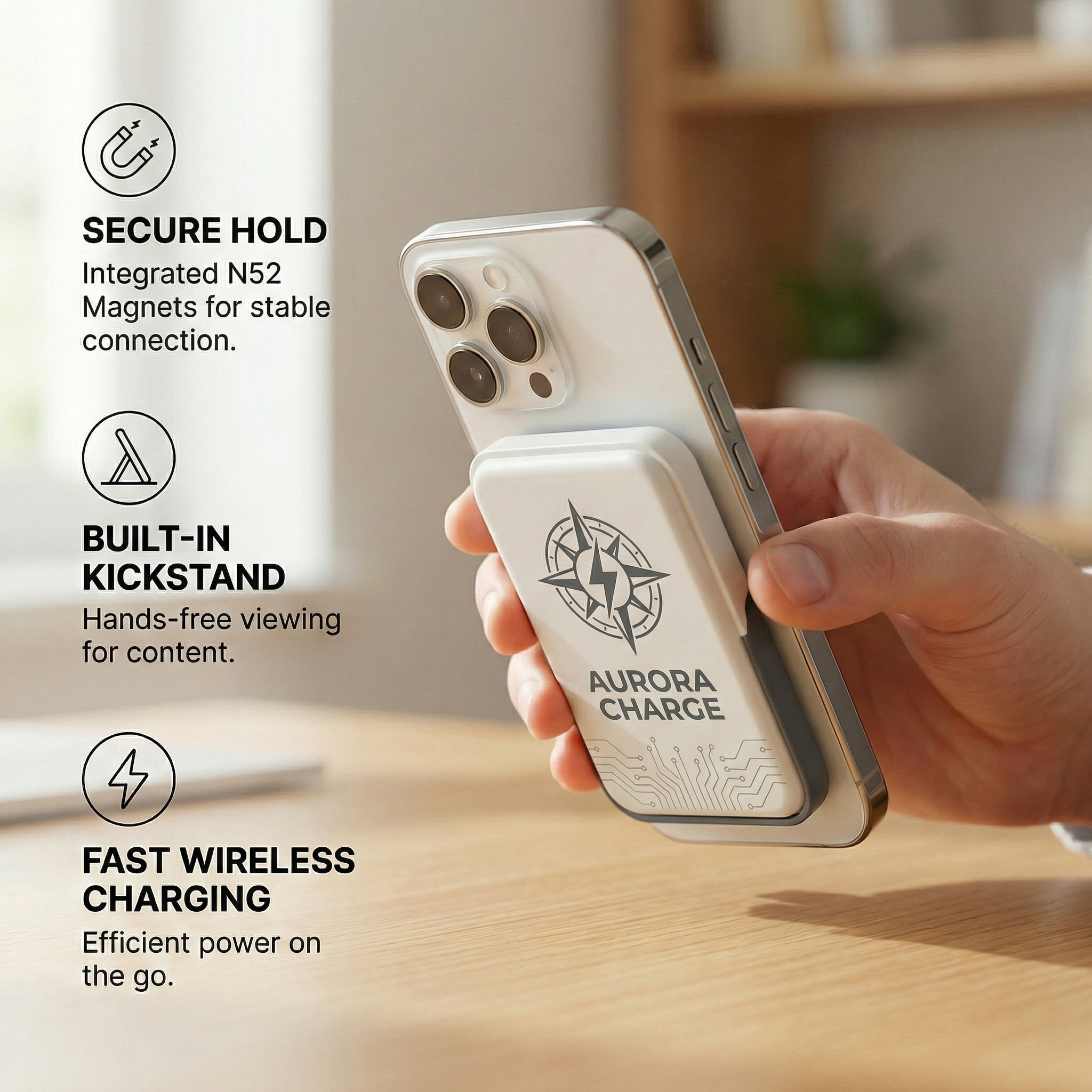
- Magnetic hold. The pad grips the handset instead of relying on friction, so the phone stays where it was put while you tap, scroll or answer a call. - Charging without a wall socket. The built-in battery runs the pad on its own, which means a phone can top up in a meeting room, a hire car or a client's reception area. - Adjustable viewing angle. Tilt the stand upright for video and calls, or lay it back for typing and reading; the phone keeps charging in either position. - USB-C charging port. The unit recharges through the same connector most phones and laptops already use, so a program does not need to supply a special adapter. - Small footprint, easy to move. As a portable wireless charger stand for office desks it replaces a separate power bank and a separate holder, and it slips into a laptop bag for site visits.

Charging And Battery Expectations

The handset gains charge steadily and is not pushed hard while a call or a video stream is open, which is the sensible trade for a device that has to stay usable rather than cool down on a shelf. How far the built-in battery goes depends on the handset, the network signal in the building and how much the screen is on. Read it as a working day of top-ups rather than a week of independence, and put it back on the USB-C cable in the evening so it starts full. Programs that need a guaranteed number of full charges should test a sample against the exact handset models they will support, because that number is a property of the phone as much as of this unit. Because the pad, the battery and the stand are a single piece, this portable wireless charger stand for office desks needs no second socket or second cable, and the same unit goes home in a bag at the end of the day.

Case Fit & Care

  • Thin silicone, TPU and leather cases usually let the charge through, but the phone must still settle into the same position with the case on as it does without it. Test the case your program will actually hand out, not just a bare handset.
  • Fit the supplied ring to the outside of the case on a clean, dry surface, directly over the coil area. A ring placed between the case and the phone pushes the handset too far from the pad and weakens the connection.
  • Rugged shells, wallet cases, metal plates and any magnetic mount left on the back will block or slow charging. Tell recipients to remove those before setting the phone on the stand; this is the most common cause of a “not charging” complaint after a giveaway.
  • On a very thick case the phone may attach but charge slowly or run warm. If that happens, use the handset without the case or move the ring to a thinner everyday case that keeps the coil close to the pad.
  • Keep the pad clear of grit, coins, keys and adhesive residue. Wipe the charging surface with a soft dry cloth, and use a slightly damp cloth only on the housing; solvents and abrasive cleaners can dull the finish and damage the printing.
  • Check the ring every few weeks. If an edge lifts, press it back down or replace it — a ring that has slipped holds the phone off-centre, which reduces charging efficiency and can make the pad warm during use.
  • Store the unit flat with charge left in the battery rather than completely flat, and top it up every couple of months during long storage. Keep it out of direct sun, hot cars and radiators, since heat is the main reason a wireless pad slows down or stops charging.
  • For bulk programs, add a short card to the box covering ring position, metal plates and cleaning. A magnetic wireless charger manufacturer knows that a stand set up correctly on day one generates far fewer after-sales questions than one left to guesswork.

Using the Magnetic Mount

  1. Charge the unit before its first day on the desk so it starts with a full battery.
  2. On a handset with no magnet array of its own, fix one of the supplied rings to the back of the phone or to its case.
  3. Place the role card where the handset will sit; it marks the centre point the coil needs to meet, which matters most on larger phones.
  4. Set the phone against the pad and let the magnets take it. The screen stays readable, so a call, a map or a document can stay open while the charge runs.
  5. Pick the handset up whenever you need it and put it back afterwards — nothing has to be unplugged, and the magnets settle it into the same place.
  6. Before a trip, pack the unit flat with the phone's own USB-C cable; it needs nothing else in the bag.

Where It Works

  • Office desks. The magnetic wireless charger stand keeps the phone upright and charged through the working day, and the desk stays free of a long cable run.
  • Hot-desking and shared desks. Where seats change daily, this portable wireless charger stand for office desks can move to whichever place is free and be ready in seconds.
  • Meeting and conference rooms. A phone that has been on calls since morning goes onto the pad at the start of the next one instead of being left to drain on the table.
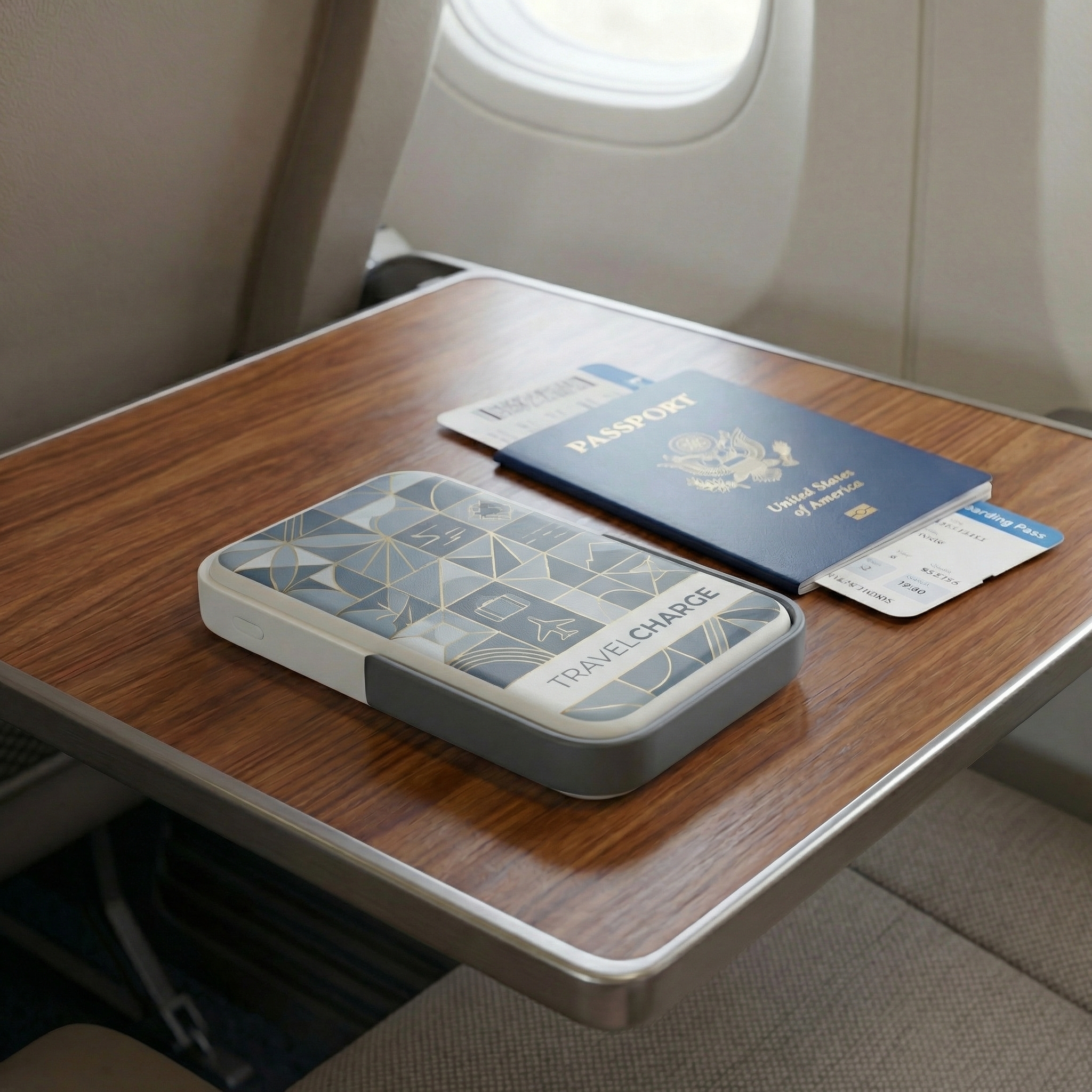
  • Client visits and fieldwork. The unit travels in a laptop bag and goes straight onto a café table or a boardroom table; where the handset carries its own magnet array, that is all the setup needed.
  • Reception and showroom counters. A branded unit gives visitors something to pick up and try, and staff keep a demo phone charged on it all day.
  • Home desks. For the hybrid week it moves between the office and the kitchen table, so one charger covers both.

Specifications

SpecificationDetail
Battery5000 mAh built-in, rechargeable
Wireless chargingQi standard, 10 W maximum output
USB-C port5V/2A, 10 W maximum
Total output10 W maximum
AlignmentMagnetic rings and role card
StandAdjustable, multiple viewing angles
BodyDurable plastic housing with precision magnetic components
ColourCustomizable
ComplianceCE, FCC, RoHS

Ordering And Customization

ItemDetail
MOQFlexible, confirmed against your quantity
LogoCustom printing available
ColourCustomizable to your brand
PackagingCustom design supported
SampleAsk your sales contact about sample availability
ServiceOEM and ODM customization
Lead timeConfirmed by order volume and customization complexity
ShippingConfirmed with your sales contact for destination and terms

Scale & Supply Capability

We are an integrated manufacturer and trading company established in 2005, with more than two decades supplying wholesalers, brand owners and distributors across North America and Europe. Our broad range of promotional and corporate gift products lets buyers consolidate different requirements with one supplier. OEM and ODM support is available for custom branding and product development, and our team coordinates production and export from first inquiry through delivery.

FAQ

Which phones can be charged on this pad?

The pad follows the standard Qi wireless charging protocol, so it works with most Qi-enabled smartphones, including current iPhone and Android models. Handsets that already have a magnet array latch straight onto the magnetic wireless charger stand; phones without one use the supplied ring and role card to hold the same alignment. Test the exact models your program will hand out before committing to a bulk run.

Will it charge through a phone case?

Thin, non-metallic cases usually let the charge through without a problem. Thick rugged shells, metal plates, wallet cases and any magnetic mount left on the back can block or weaken the connection, so fit the ring to the outside of the case or take the phone out of it. Check the case your buyers actually use during sampling rather than assuming.

How much extra power does the built-in battery give a phone?

Enough for a day of top-ups rather than a week away from mains power. The number of charges depends on the phone's battery size, the signal in the building and how much the screen is used while charging, so the reliable way to plan a program is to run a sample against the handsets you will support.

What is the stand made of?

A durable plastic housing with precision magnetic components fitted inside it, chosen so the stand keeps its shape and the magnets keep their grip through daily desk and travel handling. The charging surface is smooth and wipes clean, and the magnetic parts sit within the body where they are protected during packing and daily use.

Can the charger be branded for our program?

Yes. As a magnetic wireless charger manufacturer we run both OEM and ODM work on this model, covering logo printing, custom colour and custom packaging design. Send your artwork and branding requirements and our team will confirm what is achievable for your order.

How should the pad be cleaned and stored?

Wipe the charging surface with a soft, dry or slightly damp cloth, and keep grit, adhesive residue and loose metal items off it. Store the unit flat and away from direct sun or a hot vehicle when it is not in use — heat and dust are the two things that most often make a wireless pad behave inconsistently.

Order & Customization
MOQ: Flexible
Logo: Custom printing available  
Packaging: Custom design supported  
Sample: Available upon request

Certifications
CE  
FCC  
RoHS


Leave a message
Name
Email*
Message
Verification Code*
Verification Code